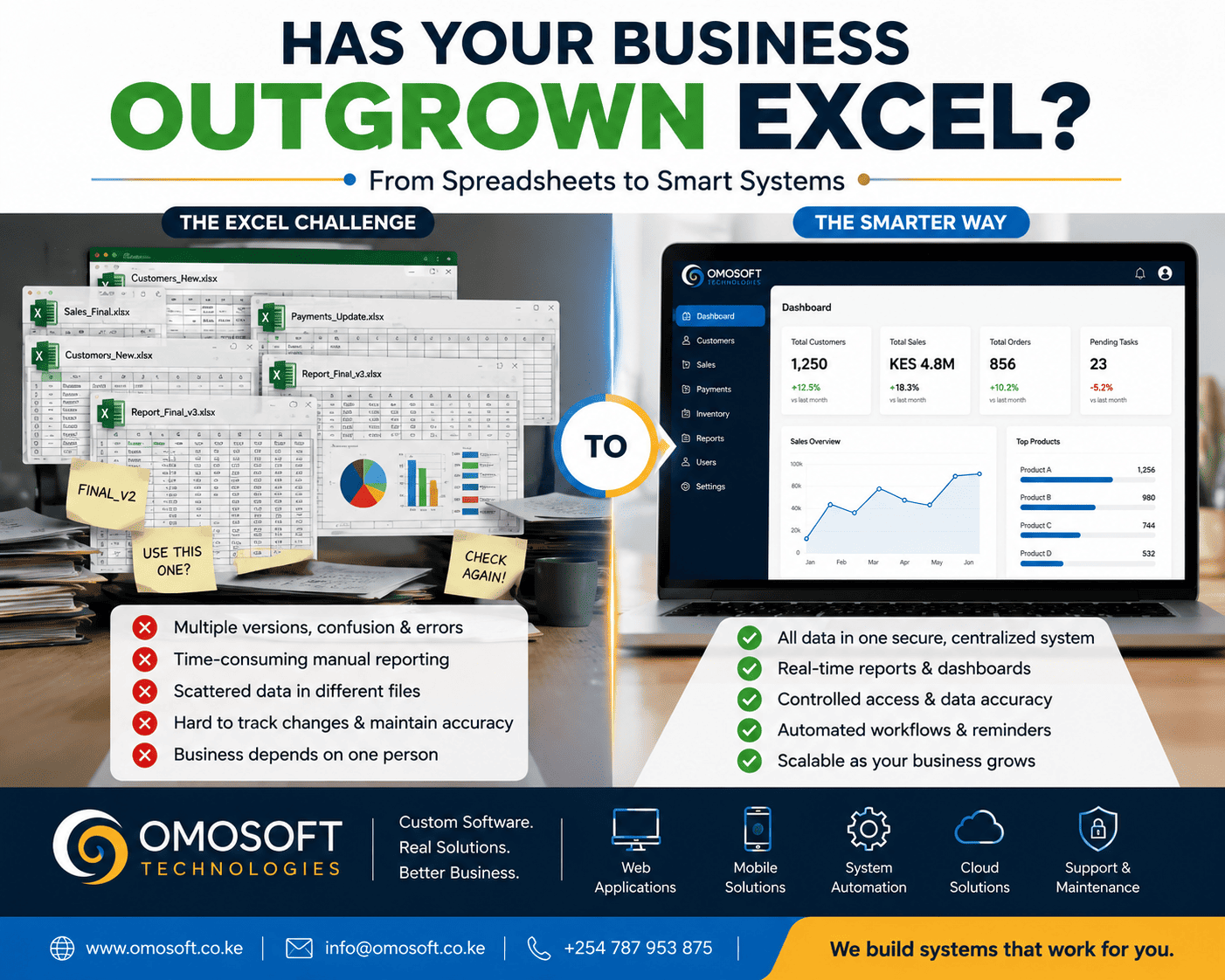
Excel
Is Powerful—But It Has Its Limits
Excel has
been a trusted business tool for decades.
Many
organizations rely on spreadsheets to manage customer records, sales, payments,
inventory, employee information, projects, reports, and other day-to-day
operations.
For a
small team or a simple process, Excel can be an effective and affordable
solution.
But as a
business grows, its operations often become more complex.
More
customers.
More
employees.
More
transactions.
More data.
More
people needing access to the same information.
At that
point, spreadsheets that once made work easier can begin creating new
challenges.
You may
find yourself dealing with multiple versions of the same file, duplicate
records, manual reporting, conflicting information, and an increasing
dependence on specific employees who understand how everything works.
The
problem is not necessarily Excel itself.
The real
question is:
Is
Excel still the right tool for the way your business operates today?
Here are
five signs that your organization may have outgrown spreadsheets and could
benefit from a centralized business system.
1. You
Have Too Many Versions of the Same Spreadsheet
Does this
look familiar?
v Customers_Final.xlsx
v Customers_Final_New.xlsx
v Customers_Final_Updated.xlsx
v Customers_Final_Updated_2.xlsx
v Customers_Really_Final.xlsx
It may
sound humorous, but this is a common operational problem.
When
different employees keep separate copies of the same spreadsheet, it becomes
difficult to determine which version contains the correct information.
One
employee may update a customer's details while another continues working with
an older version.
A manager
may prepare a report using outdated data.
Important
changes may be lost entirely.
This
creates a problem often referred to as a single source of truth problem.
A
centralized system helps solve this by storing important information in one
controlled location.
Instead of
multiple copies of the same data existing across different computers, folders,
and email attachments, authorized users work with the same current information.
The
benefit
A
centralized system can help your organization:
v Reduce duplicate records
v Improve data consistency
v Track changes
v Control access
v Ensure users work with current
information
When
everyone is working from the same source of data, decision-making becomes more
reliable.
2. Too
Many People Need to Access and Update the Same Data
As a
business grows, information usually needs to be shared across departments.
For
example:
v Sales staff update customer
information.
v Finance teams record payments.
v Operations teams process orders.
v Managers review performance.
v Administrators manage users and
records.
Trying to
manage all of this through multiple spreadsheets can become increasingly
difficult.
The more
people involved, the greater the risk of:
v Accidental changes
v Deleted information
v Duplicate entries
v Incorrect formulas
v Unauthorized access
v Conflicting versions of data
A
spreadsheet may also struggle to provide the level of role-based access
control required by a growing organization.
Not every
employee should necessarily have the ability to view, edit, delete, or export
every piece of information.
A properly
designed business system can provide different levels of access depending on a
user's role.
For
example:
|
User |
Possible
Access |
|
Administrator |
Manage
users and system settings |
|
Manager |
View
reports and business performance |
|
Sales
Staff |
Manage
customer and sales records |
|
Finance
Officer |
Access
payments and financial records |
|
General
Staff |
Access
only information relevant to their work |
This
improves both efficiency and information management.
3.
Preparing Reports Takes Too Much Time
Reporting
is one of the clearest indicators that a business process may need improvement.
Consider a
monthly report that requires someone to:
- Collect data from several
spreadsheets.
- Check whether the information
is current.
- Remove duplicate records.
- Perform calculations.
- Create charts.
- Prepare a presentation or
management report.
If this
process takes hours—or even days—every month, your organization may have an
opportunity to automate it.
The
problem is not just the time involved.
Manual
reporting can also increase the possibility of human error.
A
centralized system can collect relevant information as normal business
activities take place.
Reports
and dashboards can then present that information when it is needed.
For
example, management might be able to view:
v Total sales
v Revenue trends
v Customer growth
v Outstanding payments
v Inventory levels
v Project progress
v Employee activity
v Key performance indicators
This does
not mean that every report should be automated without consideration.
The
important step is to identify which reports are repetitive, important, and
time-consuming.
Those are
often strong candidates for automation.
The
goal
The goal
is to spend less time preparing information and more time using
information to make decisions.
4. Your
Business Information Is Scattered Across Different Files and Systems
Imagine
this situation:
Customer
records are stored in one spreadsheet.
Payments
are recorded in another.
Inventory
is managed somewhere else.
Employee
information is stored in a separate file.
Reports
are sent through email.
Important
documents are saved in different folders.
When
information is fragmented, employees often spend unnecessary time searching for
it.
This can
also make it difficult to answer simple business questions.
For
example:
v Which customers have outstanding
payments?
v Which products are performing best?
v What services are generating the
most revenue?
v How many new customers were
acquired this month?
v What tasks are still pending?
v Which branch or department is
performing best?
If
answering these questions requires collecting information from several
different files, your business may benefit from better integration.
A
centralized system does not necessarily mean placing every process into one
enormous application.
Instead,
it means designing an appropriate solution where relevant information can be
connected and accessed efficiently.
Depending
on the organization, this could involve modules for:
v Customer management
v Sales
v Payments
v Inventory
v Projects
v Human resources
v Reporting
v Document management
The right
approach depends on the actual needs and workflows of the organization.
5. Your
Business Depends Too Heavily on One Person Who Understands the Spreadsheet
This is an
often-overlooked risk.
Sometimes
a business has one spreadsheet that has evolved over several years.
It
contains:
v Complex formulas
v Multiple worksheets
v Macros
v Linked files
v Hidden calculations
v Special procedures known only to
one employee
Eventually,
one person becomes the only individual who truly understands how everything
works.
What
happens when that person:
v Goes on leave?
v Changes roles?
v Leaves the organization?
If
important business processes depend entirely on one person's knowledge of a
spreadsheet, the organization has an operational dependency risk.
A
well-designed business system can help standardize processes.
Instead of
relying on undocumented knowledge, the system can define:
v Workflows
v User permissions
v Approval processes
v Data requirements
v Automated calculations
v Reporting procedures
This makes
processes easier to understand, manage, and maintain.
Excel
Is Not the Enemy
It is
important to be clear:
Excel
is not a bad business tool.
In fact,
Excel remains extremely useful for:
v Analysis
v Financial modelling
v Quick calculations
v Data exploration
v Ad-hoc reporting
v Small datasets
v Temporary projects
The goal
should not be to replace Excel simply because a business wants to become
"digital."
Technology
should solve a real problem.
If a
spreadsheet is working efficiently for your organization, there may be no
reason to replace it.
However,
when spreadsheets begin creating operational bottlenecks, data management
problems, or excessive manual work, it may be time to evaluate alternatives.
What Is
the Alternative to Managing Everything in Excel?
The answer
depends on your organization's needs.
There are
generally two broad options.
Option
1: Use an Existing Software Solution
An
existing or off-the-shelf system may be appropriate when your requirements are
common and the available software already supports your processes.
This can
sometimes provide a faster implementation.
However,
it is important to evaluate:
v Whether the system supports your
actual workflow
v Integration capabilities
v Data ownership and access
v Scalability
v Ongoing costs
v Customization limitations
v Support and maintenance
Option
2: Develop a Custom Business System
Custom
software may be appropriate when your organization has unique workflows or when
existing systems do not adequately meet your requirements.
A custom
system can be designed around your business processes.
Potential
features may include:
v Centralized databases
v User management
v Role-based access
v Automated workflows
v Real-time dashboards
v Reporting
v Notifications and reminders
v Customer or member portals
v Payment integration
v Mobile access
v Integration with other systems
However,
custom software should not be the automatic answer.
It
requires proper planning, requirements analysis, development, testing,
deployment, and ongoing maintenance.
The right
decision depends on the business problem you are trying to solve.
Don't
Automate a Broken Process
One of the
most important principles in business automation is this:
Do not
simply automate a broken process.
Imagine a
process that already contains unnecessary steps, duplicate approvals, unclear
responsibilities, or poor data collection.
Turning
that exact process into software will not automatically make it efficient.
Before
developing or implementing a system, take time to understand the existing
workflow.
Ask
questions such as:
- What problem are we trying to
solve?
- Which tasks consume the most
time?
- Where do errors occur?
- Which steps are repetitive?
- Who needs access to the
information?
- What information does
management need?
- Which tasks require approval?
- What should happen
automatically?
- Which processes should remain
manual?
- How will we measure
improvement?
The best
technology projects begin with understanding the business problem.
Only then
should the appropriate technology solution be selected.
How a
Centralized System Can Improve Business Operations
A properly
designed system can help organizations improve several areas of their
operations.
1.
Better Data Management
Information
can be stored in a structured and controlled environment.
This can
reduce duplication and make important records easier to find.
2.
Improved Accuracy
Automation
can reduce repetitive manual entry and calculations, helping minimize avoidable
errors.
3.
Faster Reporting
Dashboards
and automated reports can provide decision-makers with faster access to
relevant information.
4.
Improved Collaboration
Different
users and departments can work within connected processes rather than
maintaining isolated files.
5.
Better Access Control
Users can
be given access according to their responsibilities.
6.
Increased Efficiency
Repetitive
tasks can be identified and, where appropriate, automated.
7.
Greater Visibility
Management
can gain a clearer view of business activities, performance, and trends.
Before
You Replace Excel, Assess Your Business Processes
If your
organization is experiencing spreadsheet-related challenges, the first step
should not necessarily be:
"Let's
build software."
Start with
an assessment.
Identify:
v The processes currently managed in
spreadsheets
v The people involved
v The information being collected
v The problems experienced
v The time spent on repetitive work
v The reports required
v The integrations needed
v The expected outcomes
This
creates a clearer foundation for choosing the right solution.
In some
cases, the answer may be better spreadsheet management.
In others,
an existing software solution may be sufficient.
And for
organizations with unique or complex requirements, a custom system may provide
the greatest value.
Is Your
Business Ready for a Centralized System?
Your
organization may benefit from evaluating its current processes if you regularly
experience:
v Multiple versions of the same
spreadsheet
v Duplicate or conflicting
information
v Difficulty controlling who can
access or edit data
v Time-consuming manual reporting
v Information scattered across
multiple files
v Repetitive processes
v Difficulty tracking business
performance
v Dependence on one person to manage
critical spreadsheets
If several
of these challenges sound familiar, it may be time to review how your business
manages information.
The
objective is not simply to introduce new technology.
The
objective is to create a more efficient, reliable, and scalable way of working.
Let
Technology Work for Your Business
At Omosoft
Technologies, we believe technology should begin with understanding the
problem.
Whether an
organization needs a website, business automation, an integrated platform, or
custom software, the starting point should always be the same:
Understand
the current process.
Identify
the problem.
Design
a better solution.
Then
apply the right technology.
Excel can
be an excellent tool.
But when
your business has grown beyond what spreadsheets can efficiently manage, the
right system can help bring your data, processes, users, and reporting
together.
The
question is not:
"Should
we stop using Excel?"
The better
question is:
"Is
Excel still supporting the way our business operates today?"
Ready
to Review Your Business Processes?
If your
organization is spending too much time managing spreadsheets, preparing
reports, or searching for information across multiple files, Omosoft
Technologies can help you evaluate opportunities for business automation,
centralized systems, and custom software development.
Let's
explore how technology can work better for your business.
Omosoft
Technologies — Custom Software. Real Solutions. Better Business.