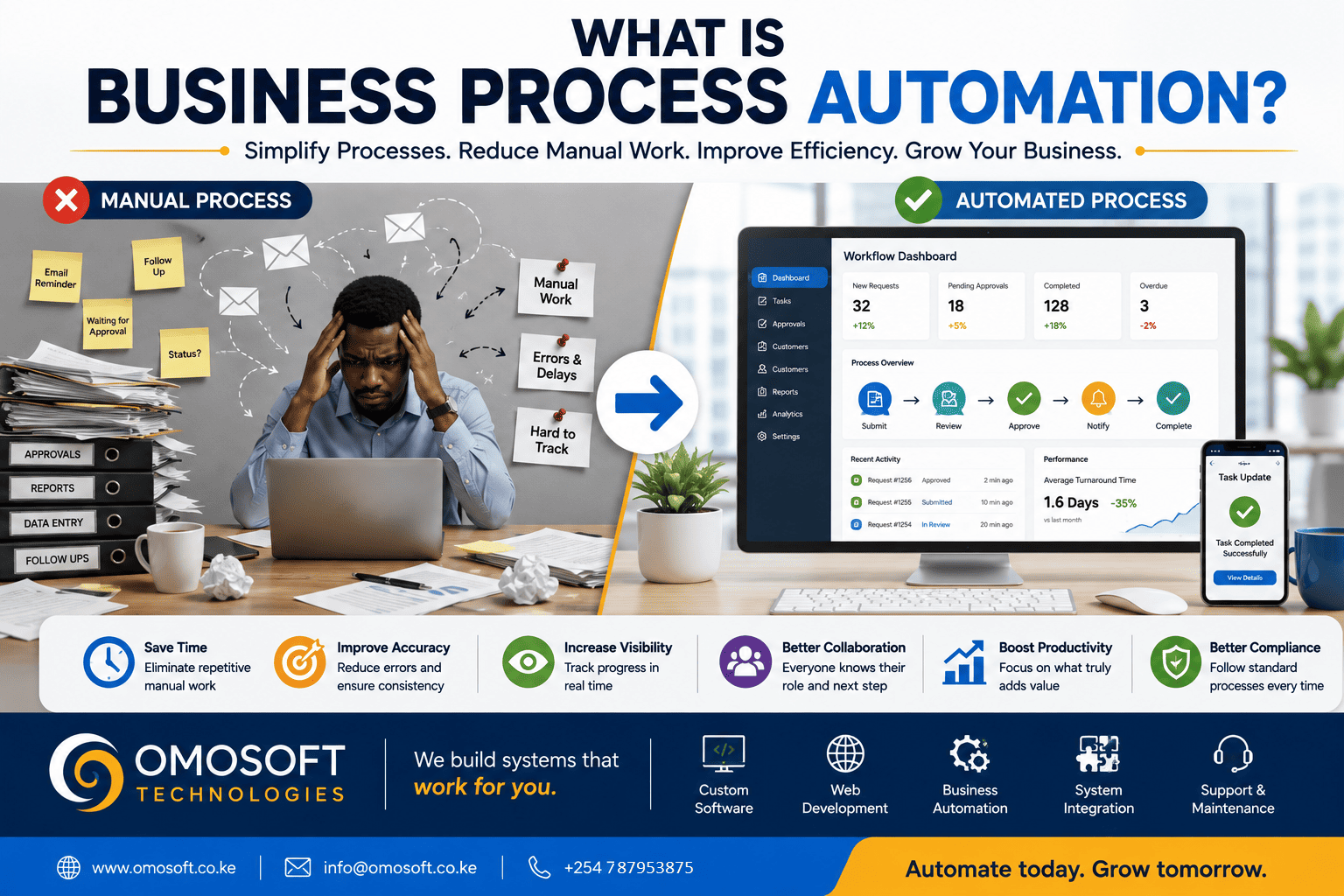
What
Is Business Process Automation?
Businesses
perform hundreds of processes every day.
A
customer submits an inquiry.
An
employee requests approval.
A
payment is received.
A report
needs to be prepared.
A new
customer must be registered.
A
document requires review.
An
application needs to move from one department to another.
Many of
these activities are necessary. But the way they are managed can make a
significant difference to productivity, accuracy, and customer experience.
In some
organizations, employees still spend a large amount of time:
v Sending follow-up emails
v Copying information between systems
v Updating spreadsheets
v Tracking approvals
v Preparing recurring reports
v Sending reminders
v Searching for documents
v Asking colleagues for status
updates
v Manually assigning tasks
This is
where business process automation can create value.
Business
process automation is the use of technology to streamline, manage, and automate
repetitive or structured business activities.
However,
automation does not mean that every business process should be handled entirely
by a computer.
And it
does not mean that the first solution to every operational challenge is to
build software.
The key
question is:
Which
processes are creating unnecessary delays, repetitive work, errors, or
administrative effort?
Once
that question is answered, an organization can begin identifying where
automation makes sense.
What
Is Business Process Automation?
Business
process automation involves using technology to perform, coordinate, or
simplify parts of a business workflow.
A
workflow is simply a sequence of steps used to complete a task.
For
example, consider a simple approval process.
Without
a structured system, the process might look like this:
i.
An
employee prepares a request.
ii.
The
request is sent by email.
iii.
The
employee waits for a response.
iv.
A
reminder is sent.
v.
A
phone call is made.
vi.
The
request is forwarded to another person.
vii.
Another
reminder is required.
viii.
The
final decision is communicated manually.
Now
imagine the same process within a properly designed workflow system:
i.
The
employee submits the request.
ii.
The
system automatically routes it to the appropriate reviewer.
iii.
The
reviewer receives a notification.
iv.
The
request is approved, rejected, or returned for changes.
v.
The
system records the decision.
vi.
The
next person is automatically notified where necessary.
vii.
The
employee can track the status of the request.
The goal
is not to remove human decision-making.
The goal
is to reduce unnecessary administrative work surrounding the decision.
That is
an important distinction.
Why
Is Business Process Automation Important?
As
organizations grow, the number of transactions, customers, employees,
documents, and decisions often increases.
Processes
that were manageable when an organization had five employees may become
inefficient when it has fifty.
Manual
processes can create challenges such as:
v Delays
v Repetitive work
v Data entry errors
v Lost information
v Poor process visibility
v Difficulty tracking
responsibilities
v Inconsistent procedures
v Slow reporting
v Dependence on individual employees
Automation
can help organizations create more structured and consistent workflows.
Potential
benefits include:
v Faster processing
v Reduced repetitive work
v Improved consistency
v Better visibility
v Faster access to information
v Improved reporting
v Reduced administrative effort
v Better tracking of workflow status
The
actual benefits depend on the quality of the process being automated.
That is
why automation should begin with process analysis.
7
Signs a Business Process May Be Ready for Automation
Not
every process needs automation.
Some
activities require flexibility, judgment, creativity, or personal interaction.
However,
certain characteristics can indicate that a process may benefit from
automation.
1.
The Process Is Repetitive
If
employees perform the same series of steps repeatedly, automation may help.
Examples
include:
v Sending payment reminders
v Assigning incoming requests
v Generating recurring reports
v Sending notifications
v Updating records after specific
actions
v Creating routine documents
Repetition
alone does not guarantee that automation is worthwhile.
But when
a repetitive task consumes significant time, it should be evaluated.
2.
The Process Takes Too Much Time
Consider
how much employee time is spent on administrative activities.
A task
that takes only ten minutes may not seem significant.
But if
it happens:
v Ten times per day
v Across several employees
v Every working week
The
total time can become substantial.
Before
automating a process, measure the effort involved.
Ask:
v How often is the task performed?
v How many people are involved?
v How much time does it consume?
v What other work could employees do
instead?
This
helps determine whether automation is likely to create meaningful value.
3.
The Process Is Prone to Human Error
Some
errors are difficult to eliminate when a process depends heavily on repetitive
manual work.
Examples
include:
v Entering the wrong data
v Copying information incorrectly
v Missing a required step
v Using outdated information
v Forgetting to send a notification
v Applying an incorrect calculation
Automation
can introduce validation rules and standardized workflows.
For
example, a system can require specific fields before allowing a request to
proceed.
However,
automation does not eliminate every type of error.
Incorrect
data can still be entered, and poorly designed automation can create its own
problems.
The
system and workflow must therefore be carefully designed and tested.
4.
The Process Requires Constant Follow-Up
Some
organizations rely heavily on messages, calls, and emails simply to move work
forward.
Employees
may regularly ask:
Has this
been approved?
Did you
receive the document?
Who is
handling this request?
Has the
customer been notified?
What is
the current status?
When a
process depends on constant manual follow-up, workflow automation may help.
A system
can potentially:
v Route work to the next responsible
person
v Send notifications
v Escalate delayed tasks
v Record status changes
v Provide visibility into pending
activities
This can
make processes easier to manage.
5.
Multiple People Are Involved in the Same Process
Processes
involving several people or departments can become difficult to manage
manually.
For
example:
Customer
Service → Operations → Finance → Management
Each
stage may depend on the completion of the previous one.
Without
a structured workflow, information may be delayed, lost, or handled
inconsistently.
Automation
can help define:
v Who performs each step
v What information is required
v What happens next
v Who receives notifications
v What approvals are required
v How progress is tracked
This
does not necessarily require a large or complex system.
The
appropriate solution depends on the scale and requirements of the organization.
6. It
Is Difficult to Track the Status of Work
If
management frequently has to ask employees where something is, the process may
lack visibility.
For
example:
v Where is the application?
v Has the invoice been approved?
v Which requests are still pending?
v Who is responsible for the next
step?
v How long has this task been
waiting?
A
workflow system can provide status information in real time or close to real
time, depending on how the system is designed and used.
Instead
of relying entirely on phone calls and emails, authorized users can view the
current stage of a process.
This can
improve accountability and decision-making.
7.
The Same Information Is Being Entered in Multiple Places
Repeated
data entry is one of the most common signs of disconnected processes.
For
example, an employee may:
i.
Receive
information through a form.
ii.
Enter
it into a spreadsheet.
iii.
Copy
it into another system.
iv.
Email
the information to another department.
v.
Enter
part of the information again into a report.
This
creates unnecessary work and increases the possibility of inconsistency.
Automation
or system integration may allow information to move between relevant processes
without unnecessary re-entry.
What
Should Your Business Automate First?
When
organizations begin thinking about business automation, there can be a
temptation to automate everything at once.
This can
create unnecessary complexity.
A better
approach is to start with the processes that offer the clearest opportunity for
improvement.
Consider
prioritizing processes that are:
High
Frequency
The task
happens regularly.
Highly
Repetitive
The
steps are largely predictable.
Time-Consuming
Employees
spend substantial time performing the process.
Error-Prone
Manual
handling regularly creates mistakes.
Important
Improving
the process would create meaningful operational value.
Clearly
Defined
The
organization understands how the process should work.
These
characteristics can help identify a good starting point.
Common
Business Processes That Can Be Automated
The
right automation opportunities depend on the organization.
However,
some common examples include the following.
1.
Approval Workflows
Organizations
can automate processes involving:
v Leave requests
v Purchase requests
v Expense approvals
v Document approvals
v Internal requests
v Applications
A system
can route requests to the appropriate person based on predefined rules.
2.
Notifications and Reminders
Manual
reminders can consume unnecessary time.
Automation
may be used to send notifications when:
v A deadline is approaching
v A payment is overdue
v An approval is required
v A task is assigned
v An application status changes
v A document requires attention
The
exact communication method can depend on the organization's systems and
requirements.
3.
Recurring Reports
If
employees prepare the same report every week or month, parts of the process may
be automated.
A
centralized system can collect relevant information as activities occur.
Reports
can then be generated from the available data.
This can
reduce the time spent collecting and consolidating information.
4.
Customer or Member Registration
Manual
registration processes can sometimes be improved using online forms and
structured workflows.
Depending
on the organization, automation may support:
v Data collection
v Validation
v Account creation
v Document submission
v Notifications
v Status tracking
Human
review can still remain part of the process where necessary.
5.
Task Assignment and Tracking
Instead
of managing tasks entirely through messages and emails, a workflow can define:
v Who receives a task
v When it is due
v Its current status
v What happens when it is completed
v Who needs to be notified
This can
improve visibility across teams.
6.
Data Validation
Automation
can help enforce rules when information is entered.
For
example, a system can check:
v Whether required information has
been provided
v Whether a record already exists
v Whether a value falls within an
acceptable range
v Whether a particular action is
allowed
This can
reduce some common data quality issues.
The
Most Important Rule: Don't Automate a Broken Process
One of
the biggest mistakes in business automation is attempting to digitize a process
without first understanding it.
Imagine
a workflow with:
v Unnecessary approvals
v Duplicate tasks
v Unclear responsibilities
v Poor communication
v Outdated procedures
Building
software around that exact process may simply create a digital version of an
inefficient workflow.
Technology
does not automatically improve a process.
Before
automation, organizations should ask:
i.
Why
does this process exist?
ii.
What
outcome is it supposed to achieve?
iii.
Which
steps are necessary?
iv.
Which
steps add little or no value?
v.
Where
do delays occur?
vi.
Who
is responsible for each step?
vii.
What
information is required?
viii.
Where
should human judgment remain?
ix.
Which
activities can be automated safely and effectively?
Only
after the process is understood should technology be selected.
A useful
principle is:
Simplify
first. Standardize where appropriate. Then automate.
Business
Process Automation Does Not Mean Replacing People
Automation
is sometimes misunderstood as a strategy for removing people from business
operations.
In
practice, many automation projects focus on reducing repetitive administrative
work.
For
example, instead of asking an employee to spend hours:
v Sending routine reminders
v Copying data
v Checking whether information is
complete
v Preparing the same report
v Searching for the latest status
Technology
can help manage some of these repetitive activities.
Employees
can then spend more time on work that requires:
v Problem-solving
v Decision-making
v Customer relationships
v Creativity
v Strategy
v Professional expertise
The
objective should be to improve how people and technology work together.
Business
Process Automation vs Business Process Improvement
These
two concepts are related but not identical.
Business
Process Improvement
Business
process improvement focuses on making a workflow more efficient or effective.
This may
involve:
v Removing unnecessary steps
v Clarifying responsibilities
v Reducing duplication
v Improving communication
v Standardizing procedures
Business
Process Automation
Business
process automation uses technology to perform or manage parts of a process.
The
strongest automation projects often begin with process improvement.
There is
little value in automating unnecessary work.
How
to Start Your Business Automation Journey
A
structured approach can help reduce the risk of investing in the wrong
solution.
Step
1: Identify Your Most Frustrating Processes
Ask
employees:
v Which tasks take too much time?
v What processes cause the most
delays?
v Where do errors occur most often?
v Which activities require repeated
follow-up?
The
people performing the work often have valuable insight into where problems
exist.
Step
2: Map the Current Process
Document
how the process currently works.
Identify:
v The starting point
v Each step
v The people involved
v The information required
v The systems used
v The delays and bottlenecks
This
helps create a clear picture of the actual workflow.
Step
3: Improve the Process
Before
adding technology, review whether each step is necessary.
Remove
duplication.
Clarify
responsibilities.
Simplify
the workflow.
Step
4: Identify What Should Be Automated
Determine
which steps are:
v Repetitive
v Rule-based
v Time-consuming
v Error-prone
v Suitable for technology
Keep
human judgment where it provides value.
Step
5: Choose the Right Technology
The
solution may involve:
v Improving existing software
v Integrating existing systems
v Using an off-the-shelf automation
platform
v Developing a custom businessapplication
v Building a specific workflow module
The best
solution depends on the business problem.
Custom
software should not automatically be the first choice.
Step
6: Start With a High-Value Process
Rather
than attempting to automate the entire organization immediately, start with a
clearly defined process.
Measure
the results.
Learn
from implementation.
Then
identify the next opportunity.
This
phased approach can make automation more manageable.
How
Do You Measure the Success of Business Automation?
Before
implementing automation, define what improvement should look like.
Depending
on the process, useful measures may include:
v Reduced processing time
v Fewer errors
v Faster approvals
v Reduced manual data entry
v Faster report preparation
v Improved visibility
v Reduced customer response times
v Fewer overdue tasks
For
example, if an approval process previously took five days on average, an
organization can measure whether automation improves the turnaround time.
The goal
is to measure business outcomes, not simply whether a new system was deployed.
Custom
Software and Business Process Automation
Some
businesses can automate processes using existing software.
Others
may require a more specialized solution.
Custom
software can be valuable when an organization has:
v Unique workflows
v Specialized approval processes
v Complex integrations
v Industry-specific requirements
v Custom reporting needs
v Multiple connected processes
A custom
solution can be designed around clearly defined business requirements.
However,
successful custom software development should begin with:
Understanding
the process.
Identifying
the problem.
Defining
the desired outcome.
Then
selecting or building the appropriate solution.
Technology
should support the process—not create unnecessary complexity.
Let
Technology Handle Repetitive Work
Every
organization has processes that could potentially be improved.
The
opportunity is not necessarily to automate everything.
It is to
identify where technology can create the greatest value.
Start by
asking:
v What takes too much time?
v What do employees do repeatedly?
v Where do mistakes occur?
v Which processes require constant
follow-up?
v What information is difficult to
track?
v Where is the same data entered more
than once?
The
answers can reveal opportunities for business process automation.
A
well-designed automation strategy can help an organization spend less time
managing repetitive administrative work and more time focusing on customers,
decisions, growth, and meaningful outcomes.
At
Omosoft Technologies, we help businesses and organizations explore how
technology can improve operations through:
v Business process automation
v Workflow management systems
v System integration
v Digital transformation solutions
Our
approach begins with understanding how your organization currently works.
Because
before automating a process, we believe you should first understand it.
Simplify
the process. Improve the workflow. Then automate what makes sense.
OmosoftTechnologies — Building Technology That Solves Real Business Problems.