Does
Your Business Really Need Custom Software?
Businesses
today have access to thousands of software applications.
There are
systems for accounting, customer relationship management, inventory, project
management, human resources, communication, marketing, and almost every other
business function.
So when a
business identifies a problem, the first question is often:
"Which
software should we buy?"
But
sometimes, that is not the right question.
The better
starting point is:
"What
problem are we trying to solve, and what is the best way to solve it?"
For some
organizations, an existing off-the-shelf application is the right choice.
For
others, existing software may require too many compromises, manual workarounds,
or disconnected processes.
That is
where custom software development can become valuable.
Custom
software is not simply about building an application from scratch because a
business wants something unique. At its best, it is about designing technology
around a genuine business need.
This
article explores when a business may need custom software, when it may not, and
how to make a better technology investment decision.
What Is
Custom Software?
Custom
software is an application or system designed specifically to address the
requirements of a particular organization or group of users.
Unlike
general-purpose software, a custom solution can be developed around specific:
- Business processes
- Workflows
- User roles
- Reporting requirements
- Approval procedures
- Integrations
- Data structures
- Operational challenges
For
example, a general business management application may provide standard
features for customers, invoices, and reporting.
However, a
particular organization may have a unique workflow involving multiple approval
levels, field officers, regional offices, specialized reports, or
industry-specific processes.
In such
cases, forcing the organization to change everything to fit generic software
may not always be the most effective solution.
A custom
system can be designed to support the processes that make sense for that
organization.
7 Signs
Your Business May Need Custom Software
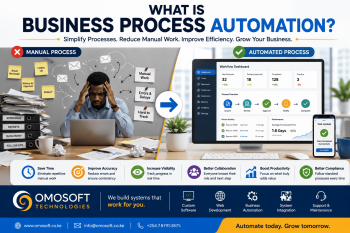
1. Your
Team Is Managing Important Processes Manually
One of the
clearest signs is the continued dependence on repetitive manual work.
For
example, employees may spend significant time:
v Copying information between systems
v Updating spreadsheets
v Preparing repetitive reports
v Sending manual reminders
v Checking approval statuses
v Searching for documents
v Consolidating data from different
sources
Not every
manual process should be automated.
However,
when repetitive tasks consume substantial time and are essential to daily
operations, automation may be worth evaluating.
A custom
business system can potentially streamline workflows by allowing information to
move through predefined processes.
This can
reduce unnecessary repetition and allow employees to focus more on work that
requires human judgment.
2. You
Are Using Multiple Systems That Do Not Work Well Together
Many
organizations gradually accumulate software.
They may
use:
v One application for customers
v Another for payments
v Spreadsheets for reporting
v Email for approvals
v Cloud storage for documents
v Messaging platforms for internal
communication
Each
individual tool may work well.
The
challenge begins when information must constantly move between them.
Employees
may need to manually export, copy, re-enter, or reconcile data.
This can
create:
v Duplicate information
v Delayed updates
v Data inconsistencies
v Reporting challenges
v Increased administrative work
A custom
software solution can sometimes act as a central platform or integrate selected
systems into a more connected workflow.
The
objective should not necessarily be to replace every existing tool.
Sometimes,
the best solution is to integrate the tools that already work.
3.
Off-the-Shelf Software Requires Too Many Workarounds
Generic
software is designed to serve many different organizations.
That can
be an advantage because it provides standard features without requiring a
business to build everything from scratch.
However,
problems can arise when employees constantly have to work around the software.
Common
examples include:
v Maintaining separate spreadsheets
because the system cannot capture certain information
v Performing calculations manually
v Using email to manage processes
that should exist within the system
v Creating duplicate records to
achieve a required workflow
v Paying for features that are never
used while missing features that are essential
If your
team spends more time working around a system than working with it, the
software may no longer be supporting your operations effectively.
This does
not automatically mean you need custom software.
But it is
a strong reason to reassess your requirements.
4. Your
Business Has Unique or Specialized Workflows
Some
organizations operate using processes that are highly specific to their
industry or business model.
For
example, a business may require:
v Multi-stage approval workflows
v Custom member management
v Specialized data collection
v Complex reporting
v Field activity tracking
v Industry-specific compliance
processes
v Unique customer onboarding
procedures
v Integration with specialized
third-party platforms
Trying to
force highly specialized workflows into a generic application can create
inefficiencies.
Custom
software development allows the system to be designed around the workflow.
However,
there is an important warning:
A
unique process is not automatically a good process.
Before
building software, the process should be reviewed.
Unnecessary
steps should be removed.
Responsibilities
should be clear.
The
workflow should be improved before technology is used to automate it.
5. Your
Business Needs Better Visibility Into Its Operations
Decision-makers
need timely and reliable information.
But many
organizations still depend on manually prepared reports.
A manager
may need to ask several departments:
v How many customers did we gain?
v What are today's sales?
v Which payments are outstanding?
v What projects are delayed?
v How is each branch performing?
The
information may exist, but it is scattered.
A
well-designed custom system can collect relevant operational data and present
it through dashboards and reports.
Depending
on the business, this might include:
v Sales performance
v Revenue trends
v Customer activity
v Operational KPIs
v Staff activity
v Pending tasks
v Project progress
v Payment status
The value
is not simply having more charts.
The goal
is to provide the right information to the right people when they need it.
6. Your
Current Software Cannot Scale With Your Business
A solution
that works for a small team may become increasingly difficult to manage as the
organization grows.
Growth may
introduce:
v More users
v More customers
v More transactions
v Additional locations
v New services
v More complex reporting
v New approval levels
The
technology requirements of a growing organization can change significantly.
A system
designed with scalability in mind can be extended as new requirements emerge.
However,
scalability should be considered carefully.
A small
organization does not necessarily need to build an enterprise-level platform on
day one.
A
practical approach is often to build the most important features first and
create an architecture that can support future development where necessary.
7.
Technology Is Becoming a Barrier Instead of an Enabler
Technology
should help people work more effectively.
If
employees regularly say things like:
"We
have to do that manually because the system can't handle it."
"The
report takes two days to prepare."
"Only
one person knows how this process works."
"We
have to enter the same information in three different places."
Then the
business may have a technology problem worth investigating.
The
solution could involve:
v Improving existing software
v Integrating existing systems
v Automating a specific process
v Implementing an off-the-shelf
solution
v Developing a custom application
Custom
software should be considered as one possible solution—not as the answer before
the problem is understood.
The
Benefits of Custom Software for Businesses
When a
custom software project is based on clear requirements and genuine business
needs, it can provide several advantages.
1.
Software Designed Around Your Business
The system
can be built around relevant processes rather than requiring the entire
organization to adapt to unnecessary limitations.
This can
improve usability and reduce reliance on manual workarounds.
2.
Improved Business Process Automation
Repetitive
processes can potentially be automated.
Examples
include:
v Notifications
v Reminders
v Approval routing
v Report generation
v Data validation
v Task assignment
v Status updates
The exact
automation should be based on the business workflow.
The
objective is not to automate everything.
It is to
automate the tasks where automation creates meaningful value.
3.
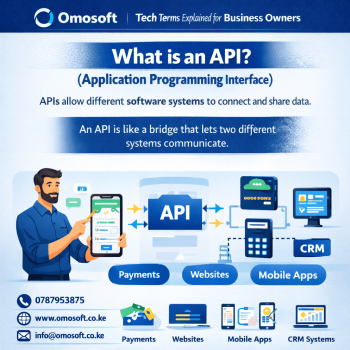
Better Integration
A custom
solution can be designed to exchange information with relevant systems where
technically and operationally appropriate.
For
example:
v Payment platforms
v Communication services
v Existing databases
v Customer systems
v Mobile applications
v Third-party APIs
Integration
can reduce unnecessary duplication and help create more connected processes.
4.
Greater Control Over Features and Future Development
With
custom software, development can focus on the features that matter most to the
organization.
New
functionality can also be planned around changing business requirements.
This does
not mean unlimited changes are free or immediate.
Custom
software still requires proper maintenance, testing, development resources, and
planning.
But the
organization has greater flexibility to evolve the solution according to its
needs.
5. More
Relevant Reporting and Dashboards
Generic
software often provides standard reports.
A custom
system can be designed to generate reports based on the organization's specific
management and operational requirements.
This may
allow leaders to focus on the metrics that are actually useful for
decision-making.
Custom
Software vs Off-the-Shelf Software
Neither
option is automatically better.
The right
choice depends on the business.
|
Consideration |
Off-the-Shelf
Software |
Custom
Software |
|
Initial
implementation |
Often
faster |
Requires
design and development |
|
Upfront
cost |
May be
lower |
Can
require higher initial investment |
|
Customization |
Usually
limited to available options |
Designed
around defined requirements |
|
Unique
workflows |
May
require workarounds |
Can
support specialized workflows |
|
Updates |
Managed
by the vendor |
Requires
a maintenance strategy |
|
Integration |
Depends
on available capabilities |
Can be
designed around integration requirements |
|
Ownership
and control |
Depends
on licensing terms |
Depends
on the project and contractual arrangement |
|
Scalability |
Depends
on the platform |
Depends
on architecture and development planning |
The
decision should be based on total business value rather than simply choosing
the option with the lowest initial cost.
When
Your Business Probably Does Not Need Custom Software
Custom
software is not always the best investment.
Your
organization may not need a custom solution if:
v Your requirements are relatively
standard.
v Existing software already meets
most of your needs.
v The current process is simple.
v The business problem can be solved
by improving how existing tools are used.
v A specialized platform already
provides the required functionality.
v The cost of custom development
outweighs the expected benefit.
In some
situations, the best technology decision is to configure or improve an existing
system.
Building
custom software simply because it is possible can create unnecessary complexity
and cost.
Before
You Build: Understand the Business Problem
The
biggest mistake in many software projects is starting with features.
For
example:
"We
need a dashboard."
"We
need a mobile app."
"We
need an AI feature."
"We
need a new system."
These
statements describe potential solutions.
They do
not necessarily define the problem.
A stronger
starting point is:
"Our
staff spend six hours every week preparing this report."
"Customer
information exists in four different places."
"Approvals
are delayed because there is no clear workflow."
"We
cannot easily track the status of applications."
Now the
discussion can focus on solving a measurable problem.
Before
developing custom software, ask:
- What problem are we trying to
solve?
- Who experiences the problem?
- How does the current process
work?
- Where do delays or errors
occur?
- What information is required?
- Which tasks are repetitive?
- What should happen
automatically?
- Who needs access to the
system?
- What reports are required?
- How will success be measured?
These
questions form the foundation of good software requirements analysis.
Don't
Automate a Broken Process
One
important principle should guide any business automation project:
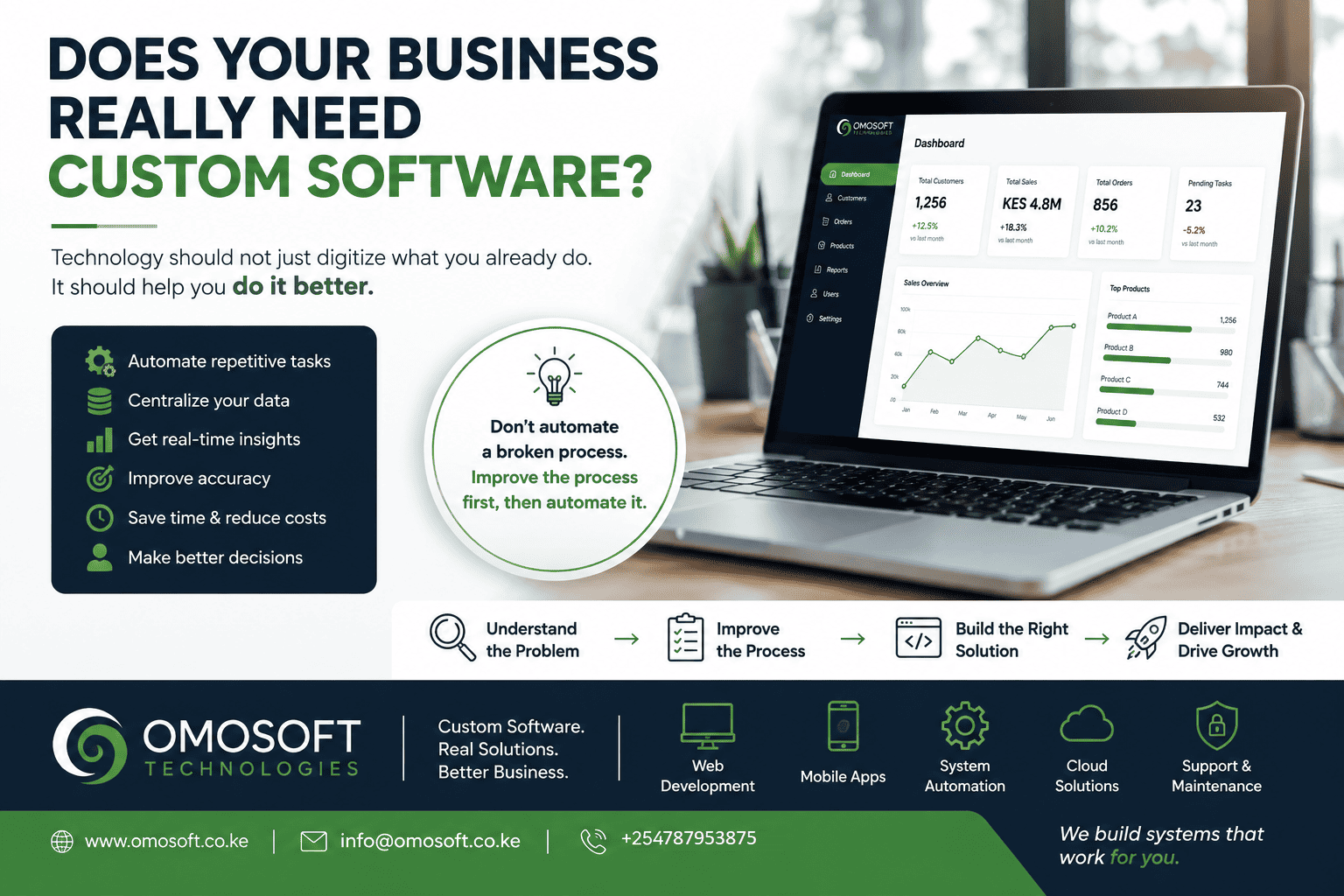
Do not
automate a broken process. Improve the process first.
If a
workflow contains unnecessary approvals, duplicated tasks, unclear
responsibilities, or poor data collection, simply turning it into software may
make the problem faster—but not better.
Before
development begins:
v Review the current workflow.
v Identify unnecessary steps.
v Clarify responsibilities.
v Remove duplication.
v Define the desired outcome.
v Establish measurable requirements.
Then
determine where technology can create the greatest value.
A
Practical Approach to Custom Software Development
A
successful custom software project should follow a structured process.
Step 1:
Discovery and Requirements Analysis
The first
stage is understanding the organization.
This
includes:
v Business goals
v Current processes
v Users
v Operational challenges
v Required integrations
v Reporting requirements
The
objective is to define the problem clearly before deciding how to solve it.
Step 2:
Process Improvement
Before
automation, the workflow should be reviewed and improved.
This can
prevent unnecessary complexity from being built into the new system.
Step 3:
Solution Design
The next
stage involves defining the proposed solution.
Depending
on the project, this may include:
v System architecture
v User roles
v Database requirements
v Workflows
v Integrations
v Security requirements
v Reporting
v User interface design
Step 4:
Build the Most Important Features First
Not every
idea needs to be developed in the first release.
A phased
approach can focus on the features that solve the most important problems
first.
Future
functionality can then be prioritized based on real user feedback and business
requirements.
Step 5:
Testing and User Feedback
Software
should be tested before full deployment.
The people
who will actually use the system should also provide feedback.
This helps
identify usability issues and requirements that may not have been obvious
during the initial planning stage.
Step 6:
Deployment, Training, and Support
Technology
adoption does not end when a system goes live.
Users may
need training.
Processes
may need adjustment.
The
software may require updates, monitoring, maintenance, and future improvements.
Custom
software should therefore be viewed as an evolving business asset rather than a
one-time project.
How to
Measure Whether Custom Software Is Worth the Investment
Before
investing in custom software, define what success would look like.
Possible
measures include:
v Reduced time spent on manual tasks
v Faster report generation
v Fewer data errors
v Improved customer response times
v Better process visibility
v Reduced duplicate data
v Improved staff productivity
v Faster approvals
v Increased transaction capacity
The
specific metrics will depend on the business problem.
A software
project should ideally be evaluated based on the operational or strategic value
it creates—not simply on the number of features delivered.
Custom
Software Is an Investment in Solving the Right Problem
The
question should not be:
"Can
we build software for this?"
Almost
anything can be developed.
The more
important question is:
"Should
we build software for this, and what value will it create?"
Custom
software can be a powerful tool when a business has:
v Unique workflows
v Repetitive manual processes
v Disconnected systems
v Specialized reporting requirements
v Growing operational complexity
v A need for better automation and
integration
But it
should always begin with understanding the problem.
The right
solution may be:
v Better use of existing tools
v Process improvement
v Off-the-shelf software
v System integration
v A custom web application
v A complete custom business platform
The
technology should follow the business need—not the other way around.
Is Your
Business Ready for Custom Software?
If your
organization is struggling with repetitive manual work, disconnected systems,
spreadsheet dependence, reporting delays, or software that no longer fits the
way you operate, it may be time to review your processes.
At Omosoft
Technologies, we help businesses and organizations explore how technology can
improve operations through:
v Custom software development
v Web application development
v Business process automation
v System integration
v Digital transformation solutions
v Business management platforms
Our
approach starts with understanding your business challenge.
Because
before building software, we believe it is important to answer one question:
What
problem are we solving?
Once the
problem is clear, the right technology solution becomes easier to identify.
Omosoft
Technologies — Custom Software. Real Solutions. Better Business.