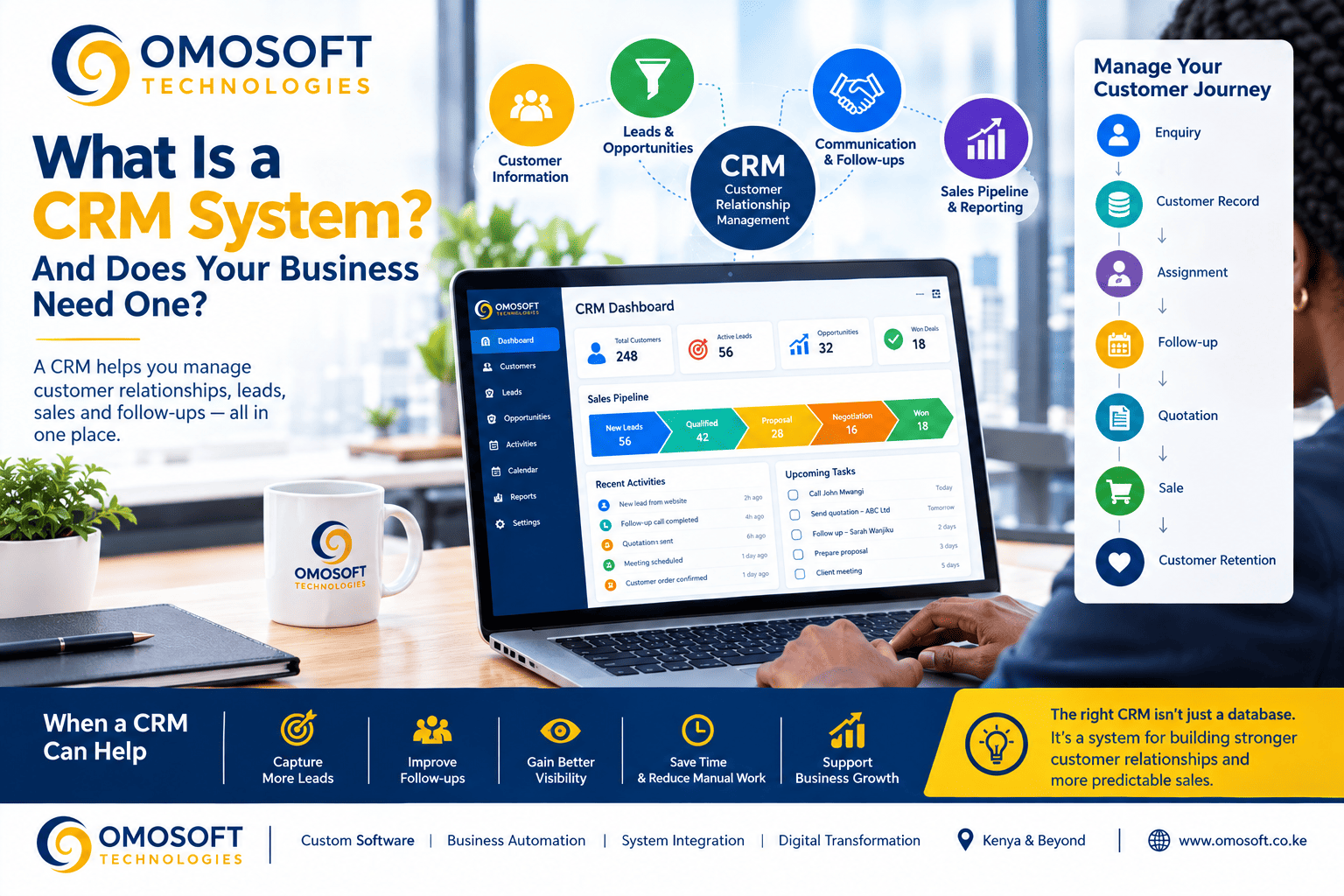
Every business wants
more customers.
But attracting
customers is only one part of the challenge.
Once someone becomes a
prospect, how do you record their information? How do you follow up? How do you
know what was discussed previously? Which salesperson is handling the
opportunity? Has a quotation been sent? Is the customer ready to buy? When
should the next follow-up happen?
As a business grows,
managing these activities through WhatsApp messages, emails, spreadsheets,
notebooks, and individual phone contacts can become increasingly difficult.
This is where a Customer
Relationship Management (CRM) system can help.
A CRM system gives a
business a structured way to manage customer information, leads, sales
opportunities, communication, follow-ups, and customer relationships in one
place.
For businesses in
Kenya, CRM software can be particularly useful as customer numbers increase,
sales teams expand, and organizations begin using multiple digital channels to
communicate with customers.
But does every
business need a CRM?
Not necessarily.
The right question is
not simply whether a CRM is popular or whether other businesses are using one.
The better question
is:
Does your current
way of managing customers and sales still work effectively as your business
grows?
This guide explains
what a CRM system is, how it works, what businesses can use it for, when you
may need one, what features to look for, and how CRM connects with automation,
websites, payments, and other business systems.
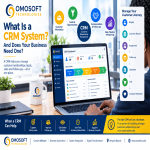
What Is a CRM
System?
CRM stands for Customer Relationship Management.
A CRM system is
software that helps an organization manage information and interactions
relating to current and potential customers.
At its simplest, a CRM
can maintain customer records.
But modern CRM systems
can do much more.
Depending on the
platform and configuration, a CRM may help manage:
Ø Customer information
Ø Leads
Ø Sales opportunities
Ø Enquiries
Ø Sales pipelines
Ø Follow-ups
Ø Tasks
Ø Meetings
Ø Quotations
Ø Customer communication
Ø Customer history
Ø Sales activities
Ø Support requests
Ø Reports
Ø Dashboards
Ø Marketing activities
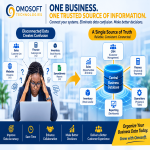
Instead of customer
information being scattered across different places, a CRM provides a
structured environment for managing customer relationships.
CRM Explained With
a Simple Example
Imagine a company
receives an enquiry from a potential customer.
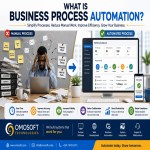
Without a CRM, the
process might look like this:
WhatsApp message →
Phone call → Notebook → Excel spreadsheet → Email → Follow-up reminder
The information may be
spread across several places.
Now consider the same
process with a CRM.
Customer enquiry →
Lead created → Salesperson assigned → Follow-up scheduled → Quotation sent →
Opportunity updated → Sale completed
The CRM provides a
central record of the relationship.
A salesperson can
potentially see:
Ø Who the customer is
Ø What they are interested in
Ø When they first contacted the business
Ø Previous conversations
Ø Follow-up activities
Ø Current sales stage
Ø Quotations issued
Ø Tasks that are pending
Ø What should happen next
This is one of the
main reasons businesses implement CRM systems.
The objective is
not simply to store customer information. It is to make customer relationships
easier to manage.
Why Do Businesses
Need CRM Systems?
As a business grows,
customer management becomes more complicated.
A company with ten
customers may be able to manage relationships using spreadsheets and phone
contacts.
A company with
hundreds or thousands of customers may need a more structured approach.
The challenges can
include:
Ø Lost leads
Ø Forgotten follow-ups
Ø Duplicate customer records
Ø Inconsistent customer information
Ø Poor sales visibility
Ø Missed opportunities
Ø Difficulty tracking sales performance
Ø Dependence on individual employees
Ø Difficulty accessing customer history
Ø Time-consuming reporting
A CRM can help
organize these activities.
Instead of asking:
"Who was supposed
to call this customer?"
the business can
potentially look at the CRM and see the assigned salesperson and scheduled
activity.
Instead of asking:
"How many sales
opportunities are currently active?"
management can view
the sales pipeline.
Instead of searching
through multiple emails to understand a customer's history, authorized users
can access the relevant information from the customer's record.
What Does a CRM
System Do?
A CRM can support
several important areas of business operations.
1. Customer
Management
A CRM can maintain
structured customer profiles.
Depending on the
system, a customer record may include:
Ø Name
Ø Company
Ø Telephone number
Ø Email address
Ø Location
Ø Customer category
Ø Assigned salesperson
Ø Previous interactions
Ø Purchase history
Ø Notes
Ø Documents
Ø Follow-up activities
This creates a more
organized customer database.
2. Lead Management
Not every person who
contacts your business is immediately a customer.
Some are prospects.
A CRM can help
businesses manage these potential customers from their first interaction
through the sales process.
For example:
New Lead →
Contacted → Qualified → Quotation → Negotiation → Won/Lost
This creates
visibility into where each opportunity currently stands.
3. Sales Pipeline
Management
A sales pipeline shows
the different stages through which a potential customer moves.
For example:
New Enquiry
↓
Qualified Lead
↓
Proposal/Quotation
↓
Negotiation
↓
Closed Sale
A CRM can allow sales
teams and managers to see how many opportunities exist at each stage.
This can make sales
management more structured.
4. Follow-Up
Management
One of the biggest
benefits of CRM software is helping businesses manage follow-ups.
A salesperson may have
dozens of potential customers.
Remembering every
follow-up manually can become difficult.
A CRM can help create
tasks and reminders such as:
Ø Call customer tomorrow
Ø Send quotation
Ø Follow up after three days
Ø Schedule product demonstration
Ø Contact customer after proposal
Ø Renew customer contract
The objective is to
make follow-up part of a structured process rather than something dependent
entirely on memory.
5. Customer
Communication History
Customer relationships
often involve multiple interactions.
A CRM can provide a
record of relevant activities, depending on the systems connected to it.
This may include:
Ø Calls
Ø Emails
Ø Meetings
Ø Notes
Ø Sales activities
Ø Support requests
Ø Quotations
Ø Purchases
Having appropriate
history available can help employees understand the relationship before
contacting the customer.
6. Sales Reporting
A CRM can provide
management with information such as:
Ø Number of leads
Ø New customers
Ø Sales opportunities
Ø Conversion rates
Ø Sales by employee
Ø Sales by period
Ø Pipeline value
Ø Lost opportunities
Ø Follow-up activities
This can reduce
dependence on manually prepared sales reports.
CRM vs Excel:
What's the Difference?
Many businesses begin
by using Excel to manage customer information.
There is nothing
inherently wrong with this.
Excel can be useful
for simple datasets and smaller operations.
The challenge begins
when the business needs more structured workflows.
For example, a
spreadsheet may store:
|
Customer |
Phone |
Email |
Salesperson |
Status |
|
Customer A |
07XX XXX XXX |
John |
New |
|
|
Customer B |
07XX XXX XXX |
Mary |
Quotation |
|
|
Customer C |
07XX XXX XXX |
John |
Won |
This can work for
basic record keeping.
But a CRM can go
further by connecting the customer record with:
Ø Sales activities
Ø Tasks
Ø Follow-ups
Ø Communication history
Ø Sales stages
Ø Quotations
Ø Notifications
Ø Reports
Ø User permissions
Ø Automated workflows
If your business is
increasingly dependent on spreadsheets, it may be worth reviewing whether they
are still appropriate for your operations.
Read our related
guide:
Has Your Business
Outgrown Excel? 5 Signs It's Time for a Centralized System
Readthe Omosoft article on centralized business systems
Does Every Business
Need a CRM?
No.
A CRM is a tool, not a
requirement for every organization.
A very small business
with a handful of customers and straightforward sales processes may not need a
dedicated CRM.
However, CRM becomes
increasingly useful when customer management starts becoming difficult.
You may want to
consider a CRM if:
1. You Are Losing
Track of Leads
People enquire about
your products or services but some are never followed up.
2. Customer
Information Is Scattered
Important customer
information exists in WhatsApp, email, spreadsheets, notebooks, and individual
employees' phones.
3. Salespeople
Manage Customers Independently
Each salesperson
maintains their own customer records, making it difficult for management to
obtain a complete picture.
4. Follow-Ups Are
Being Missed
Customers regularly
need to be contacted, but there is no reliable system for tracking when
follow-up should happen.
5. Management
Cannot See the Sales Pipeline
You don't have a clear
answer to:
Ø How many active opportunities do we have?
Ø What stage is each opportunity at?
Ø Which salesperson is handling it?
Ø Which opportunities are likely to close?
Ø Which opportunities have been inactive?
6. Your Customer
Base Is Growing
As the number of
customers increases, manual customer management becomes increasingly difficult.
7. You Spend Too
Much Time Preparing Sales Reports
If someone has to
manually collect information from spreadsheets and emails every week to prepare
management reports, a CRM may provide a more efficient approach.
CRM Systems for
Small and Medium-Sized Businesses in Kenya
CRM is not only for
large corporations.
Kenyan SMEs can use
CRM systems to organize customer relationships as they grow.
For example, a small
service business might use CRM to manage:
Website enquiry →
Customer record → Sales call → Quotation → Follow-up → Sale
A real estate business
might manage:
Property enquiry →
Potential buyer → Property viewing → Negotiation → Sale
A consultancy might
manage:
Client enquiry →
Consultation → Proposal → Approval → Project → Client relationship
A training
organization might manage:
Enquiry →
Registration → Payment → Training → Completion → Follow-up
The CRM should reflect
the actual business process.
This is important
because a CRM should not simply be installed because it is considered
"modern."
It should solve a real
operational problem.
CRM and WhatsApp in
Kenya
WhatsApp is an
important communication channel for many Kenyan businesses.
Customers may enquire
about products and services through WhatsApp before ever visiting a website or
calling the business.
However, relying
entirely on individual WhatsApp conversations can create challenges.
Customer information
can become difficult to organize.
Follow-ups can be
missed.
Important
conversations may remain on one employee's phone.
A properly designed
business workflow can potentially connect customer enquiries with a CRM or
other business system, depending on the available technical integrations and
the organization's requirements.
The objective is not
necessarily to replace WhatsApp.
It is to ensure that
important customer information and follow-up processes are managed
appropriately.
Can a CRM Connect
to a Business Website?
Yes.
A website can become
an important source of CRM leads.
For example:
Customer visits
website
↓
Completes enquiry
form
↓
Lead enters CRM
↓
Salesperson is
notified
↓
Follow-up task
created
↓
Customer contacted
↓
Quotation sent
↓
Sales opportunity
updated
This can significantly
reduce manual data entry.
Instead of an employee
copying information from a website form into a spreadsheet, the information can
potentially flow directly into the appropriate business system.
This is one example of
how CRM, website development, and business process automation can work
together.
For more on the
strategic role of a business website, read:
Your Website Is
More Than an Online Brochure
Readthe Omosoft article about strategic business websites
CRM and Business
Process Automation
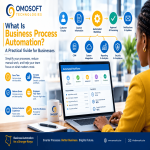
CRM and business
process automation are closely related.
A CRM manages customer
relationships and sales information.
Automation can make
actions happen automatically based on predefined rules.
For example:
New lead created
→ Assign salesperson
→ Send notification
→ Create follow-up
task
→ Send customer
acknowledgement
→ Update sales
pipeline
→ Notify manager if no
action occurs within a defined period
This can reduce
repetitive administrative work.
It also demonstrates
why CRM should not be viewed simply as a database.
A well-designed CRM
can become part of a broader business workflow system.
For more information,
see:
What Is Business
Process Automation? A Practical Guide to What Your Organization Should Automate
First
Readthe Omosoft business process automation guide
CRM and System
Integration
Businesses rarely use
only one software system.
An organization may
have:
Ø CRM software
Ø Accounting software
Ø Payment systems
Ø Website
Ø E-commerce platform
Ø Inventory system
Ø Email platform
Ø Customer support system
Ø Mobile application
The real value can
increase when relevant systems communicate with each other.
For example:
Website → CRM →
Accounting → Payment → Customer notification
Instead of manually
transferring information between systems, integrations can allow information to
move between them according to defined workflows.
APIs are commonly used
to facilitate this type of communication.
For a simple
explanation of APIs, see:
What Is an API? A
Simple Guide for Business Owners
What Features
Should You Look for in a CRM?
The right features
depend on the business.
However, common CRM
capabilities include:
Customer Database
Centralized customer
and company records.
Lead Management
Capture and track
potential customers.
Sales Pipeline
Track opportunities
through defined stages.
Follow-Up Tasks
Create reminders and
activities.
Communication
History
Record relevant
customer interactions.
User Roles and
Permissions
Control what different
users can access or modify.
Reports and
Dashboards
Give management
visibility into performance.
Notifications
Alert users when
action is required.
Search and
Filtering
Allow employees to
quickly find relevant customer information.
Document Management
Store or associate
relevant documents with customer records where appropriate.
Integrations
Connect the CRM with
other business applications.
Automation
Trigger actions based
on defined business rules.
Cloud CRM vs Custom
CRM
Businesses generally
have several options.
One is to adopt an
existing cloud CRM platform.
Another is to
customize an existing CRM.
A third option is to
develop a custom CRM or customer management system.
Each approach has
different considerations.
|
Consideration |
Existing CRM |
Customized CRM |
Custom CRM |
|
Initial setup |
Usually faster |
Moderate |
Usually longer |
|
Standard features |
Usually extensive |
Extensive |
Designed as required |
|
Custom workflows |
Depends on platform |
More flexibility |
High flexibility |
|
Integration |
Depends on available
integrations |
Can be expanded |
Designed around
requirements |
|
Unique business
processes |
May require
workarounds |
Often manageable |
Can be designed
specifically |
|
Development required |
Low |
Moderate |
High |
|
Ongoing maintenance |
Vendor-managed |
Shared/custom |
Requires maintenance
strategy |
There is no universal
answer.
The right choice
depends on your business requirements, budget, processes, integrations, users,
and long-term plans.
For more information,
read:
Does Your Business
Really Need Custom Software? A Practical Guide for Growing Organizations
Readthe Omosoft custom software guide
When Should You
Consider a Custom CRM?
A custom CRM may make
sense when the business has requirements that existing CRM platforms cannot
adequately support.
Examples may include:
Ø Highly specialized sales workflows
Ø Unique customer approval processes
Ø Complex user roles
Ø Industry-specific information
Ø Specialized reporting
Ø Multiple departments using different workflows
Ø Complex integrations
Ø Customer portals
Ø Specialized pricing structures
Ø Unique business rules
Ø Existing systems that need to be connected
However, having a
unique business process does not automatically mean you need custom software.
Before developing a
custom CRM, ask:
a)
Can an
existing CRM solve most of the problem?
b)
What
functionality is genuinely missing?
c)
Can the
existing CRM be configured?
d)
Can
integrations solve the gap?
e)
What would
custom development cost?
f)
What
business value would customization create?
g)
How will
the system be maintained?
Custom development
should be based on business requirements rather than technology preference.
CRM Security and
Customer Data
CRM systems can
contain valuable and sometimes sensitive business information.
Depending on the
organization, this may include:
Ø Customer contact information
Ø Sales information
Ø Communication records
Ø Contracts
Ø Business documents
Ø Payment-related information
Ø Internal notes
Security should
therefore be considered from the beginning.
A CRM implementation
should consider appropriate measures such as:
Ø Strong authentication
Ø Role-based access
Ø Secure passwords
Ø Access controls
Ø Data backups
Ø Audit logging
Ø Secure integrations
Ø User activity monitoring
Ø Regular software updates
Ø Appropriate data protection practices
The objective is to
ensure that customer information is available to authorized users while being
appropriately protected.
How to Implement a
CRM Successfully
Buying CRM software is
only the beginning.
Successful
implementation requires more than creating user accounts.
Step 1: Understand
Your Current Sales Process
Document how customers
currently move from first contact to sale.
Ask:
Ø Where do leads come from?
Ø Who receives them?
Ø How are they assigned?
Ø How are follow-ups handled?
Ø How are quotations prepared?
Ø How are opportunities tracked?
Ø What happens after a sale?
Step 2: Clean Your
Existing Customer Data
If customer
information currently exists in spreadsheets, documents, or multiple systems,
review and clean it before importing it into a CRM.
Look for:
Ø Duplicate customers
Ø Incorrect contact information
Ø Incomplete records
Ø Outdated information
Ø Different formats
Poor-quality data can
undermine an otherwise good CRM implementation.
Step 3: Define User
Roles
Determine who should
have access to what.
For example:
Salesperson → Own
customers and opportunities
Sales Manager →
Sales team and pipeline
Finance → Relevant
financial information
Management →
Reports and dashboards
Access should be based
on actual responsibilities.
Step 4: Configure
the Sales Pipeline
Define the stages that
reflect how your business actually sells.
For example:
New Lead →
Qualified → Proposal → Negotiation → Won/Lost
Avoid creating
unnecessary stages.
Step 5: Automate
Repetitive Activities
Once the process is
understood, identify activities that can be automated.
Examples include:
Ø Lead assignment
Ø Follow-up reminders
Ø Notifications
Ø Customer acknowledgements
Ø Status updates
Ø Task creation
Ø Routine reports
Step 6: Train Users
A CRM only works when people use it correctly.
Users should
understand:
Ø Why the CRM is being introduced
Ø What information they need to record
Ø How to update customer records
Ø How to manage tasks
Ø How to move opportunities through the pipeline
Ø What reports are available
Step 7: Measure
Results
After implementation,
measure whether the CRM is actually improving the business.
Possible metrics
include:
Ø Number of leads captured
Ø Lead response time
Ø Follow-up completion
Ø Sales conversion rate
Ø Sales cycle length
Ø Number of active opportunities
Ø Customer retention
Ø Time spent preparing reports
Ø Sales performance
The goal is not
simply:
"We installed a
CRM."
The goal is:
"Our customer
management and sales process has improved."
Common CRM Mistakes
Businesses Should Avoid
Mistake 1: Buying
Too Many Features
More features do not
necessarily mean a better solution.
Choose features that
solve actual business problems.
Mistake 2: Not
Defining the Sales Process
If the business does
not understand its own sales process, configuring the CRM becomes difficult.
Mistake 3: Poor
Data Quality
Importing duplicate or
inaccurate customer information creates problems from day one.
Mistake 4: Ignoring
User Adoption
A CRM is only useful
when employees actually use it consistently.
Mistake 5: Treating
CRM as an Address Book
A CRM should support
customer relationships and business processes, not merely store telephone
numbers.
Mistake 6: Ignoring
Integration
A CRM that cannot
exchange relevant information with other important business systems may create
additional manual work.
Mistake 7:
Automating a Poor Process
Technology cannot
automatically fix an inefficient sales process.
First understand and
improve the workflow.
Is a CRM Worth the
Investment?
The answer depends on
the business.
A CRM may create value
when it helps a company:
Ø Capture more leads
Ø Follow up more consistently
Ø Reduce lost opportunities
Ø Improve sales visibility
Ø Reduce administrative work
Ø Improve customer service
Ø Centralize customer information
Ø Make better use of sales data
Ø Scale customer management
The investment should
therefore be evaluated against measurable business outcomes.
For example, if a
company is losing potential customers because enquiries are not being followed
up, improving lead management may have a measurable commercial benefit.
The important question
is not simply:
"How much does
CRM software cost?"
It is:
"What is poor
customer management currently costing the business?"
CRM as Part of a
Larger Business System
A CRM does not have to
operate in isolation.
It can become one
component of a broader business technology ecosystem.
For example:
Website
↓
CRM
↓
Sales Automation
↓
Quotation
↓
Payment
↓
Accounting
↓
Customer
Notification
↓
Reporting Dashboard
This is where CRM
begins to connect with broader concepts such as:
Ø Business process automation
Ø System integration
Ø Digital transformation
Ø Business intelligence
Ø Custom software
Ø Customer portals
The goal is not to
create technology for its own sake.
The goal is to create
a connected system that supports the way the business operates.
What About Small
Businesses That Are Still Growing?
A business does not
need to wait until it has thousands of customers before thinking about CRM.
In fact, establishing
good customer-management practices early can make growth easier to manage.
A growing business can
begin with a relatively simple CRM process:
Capture → Organize
→ Follow Up → Convert → Retain
As the business grows,
additional functionality can be introduced.
The important thing is
to avoid building a system that is unnecessarily complicated for the current
stage of the business.
Start with the most
important problems.
Then expand as the
business evolves.
How Omosoft
Technologies Can Help
At Omosoft
Technologies, we believe technology should solve real business problems.
When a business needs
better customer management, the answer may be:
Ø An existing CRM
Ø CRM configuration
Ø CRM customization
Ø CRM integration
Ø Business process automation
Ø A customer portal
Ø Custom software
Ø A broader business management system
The starting point
should always be understanding the business.
We can help businesses
examine:
Ø How customer enquiries are received
Ø How leads are captured
Ø How salespeople work
Ø How follow-ups are managed
Ø Where customer information is stored
Ø Which systems are currently being used
Ø Which processes should be automated
Ø Which systems need to communicate
Ø What management needs to see in reports
From there, the
appropriate technology solution can be identified.
The objective is
not to give every business the same CRM.
The objective is to
build or configure the right customer-management approach for the
organization's actual needs.
Frequently Asked
Questions About CRM Systems
What does CRM stand
for?
CRM stands for Customer
Relationship Management.
What is a CRM
system used for?
A CRM is used to
organize and manage customer information, leads, sales opportunities,
communication, follow-ups, customer history, and related business activities.
Is CRM only for
sales teams?
No. CRM systems can
also support customer service, marketing, management reporting, account
management, and other customer-related processes.
Can a small
business use a CRM?
Yes. Small businesses
can use CRM systems to organize leads, customers, follow-ups, sales
opportunities, and customer communication.
Can CRM integrate
with a website?
Yes. Depending on the
CRM and available integrations, website forms and other website activities can
feed information into a CRM.
Can CRM integrate
with payment systems?
Some CRM and business
platforms can integrate with payment systems where appropriate technical
interfaces are available.
Is CRM the same as
ERP?
No.
A CRM primarily
focuses on customer relationships, sales, and related activities.
An ERP generally
covers broader organizational processes such as finance, procurement,
inventory, operations, human resources, and other enterprise functions.
Some modern business
platforms combine CRM and ERP capabilities.
Does a CRM replace
WhatsApp?
Not necessarily.
WhatsApp and CRM serve
different purposes. A business may use WhatsApp for communication while using a
CRM to organize customer information, sales activities, and follow-up
processes.
Does CRM require
custom software?
No.
Many businesses can
use existing CRM platforms. Custom CRM development becomes relevant when a
business has specialized requirements that existing systems cannot adequately
address.
Conclusion: Your
Customer Relationships Deserve a System
Customer relationships
are too important to depend entirely on memory, scattered spreadsheets,
individual phone contacts, and disconnected messages.
As a business grows,
customer management needs to become more structured.
A CRM can help
businesses organize customer information, manage leads, track sales
opportunities, schedule follow-ups, improve visibility, and create more
consistent customer experiences.
But CRM should not be
adopted simply because it is popular.
Start with the
business problem.
Ask:
Are we losing
leads?
Are follow-ups
being missed?
Is customer
information scattered?
Can management see
the sales pipeline?
Are we spending too
much time preparing sales reports?
Is our current
customer-management process capable of supporting future growth?
If the answer to
several of these questions is yes, it may be time to explore CRM.
And remember:
The best CRM is not
necessarily the one with the most features.
It is the one that
helps your business manage customer relationships more effectively.
At Omosoft
Technologies, we help businesses explore practical technology solutions for
customer management, automation, integration, and digital transformation.
Understand your
customers. Organize your processes. Build stronger relationships. Grow with
technology.
Omosoft
Technologies — Custom Software. Real Solutions. Better Business.